Ecosystem Setup Guide
Everything you need to configure the Kiosk Lock, set up the Star Points economy, and secure your child's screen time.
Activate Your Ecosystem.
In Three Easy Steps.
Welcome to BrainPass. Let's get your child's tablet locked in and your parent hub fully operational.
1 Download Child App
Scan with your child's Android or Fire Tablet to install the unbreakable background service.
2 Open Parent Hub
Scan with your smartphone, or navigate directly to:
hub.brainpass.app
3 Redeem Premium Access Key
If you purchased a Premium Grade Level from our website, you can unlock it via the Parent Hub.
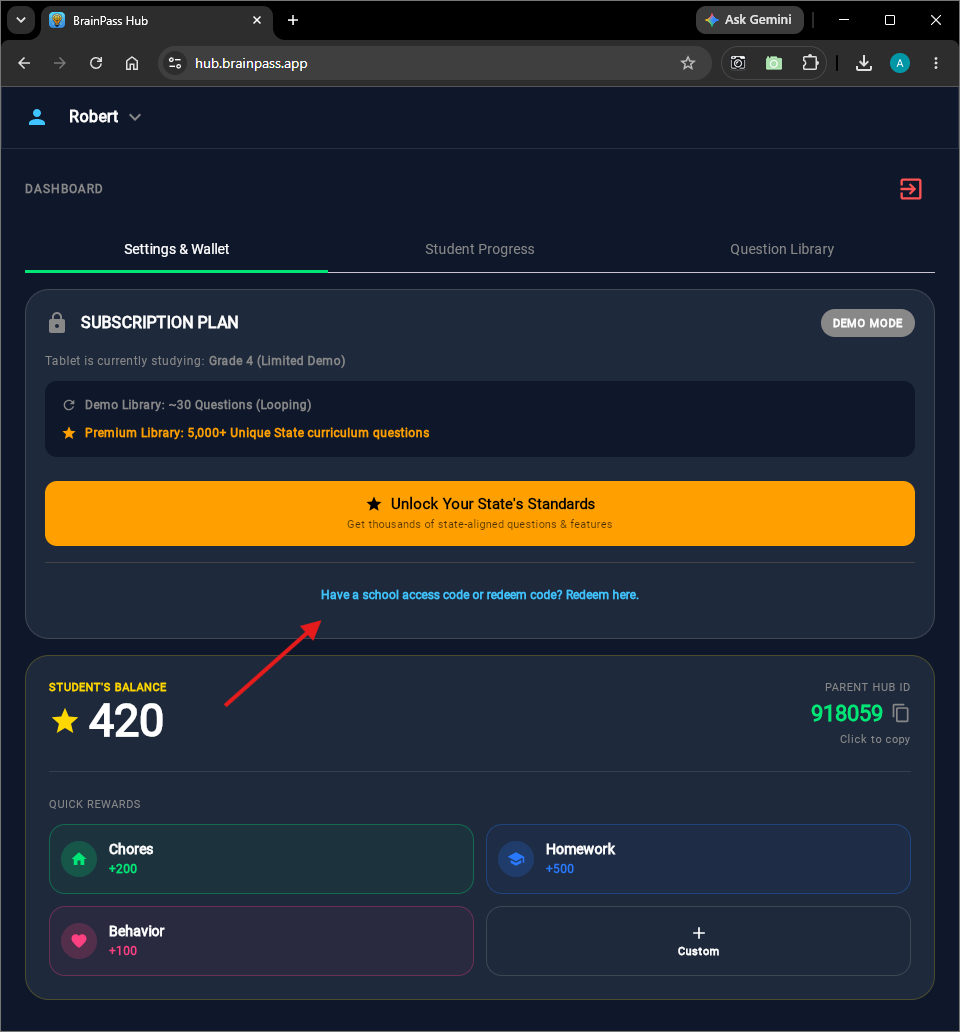
Navigate to Settings & Wallet. Click the text link at the bottom of the Subscription Plan box.
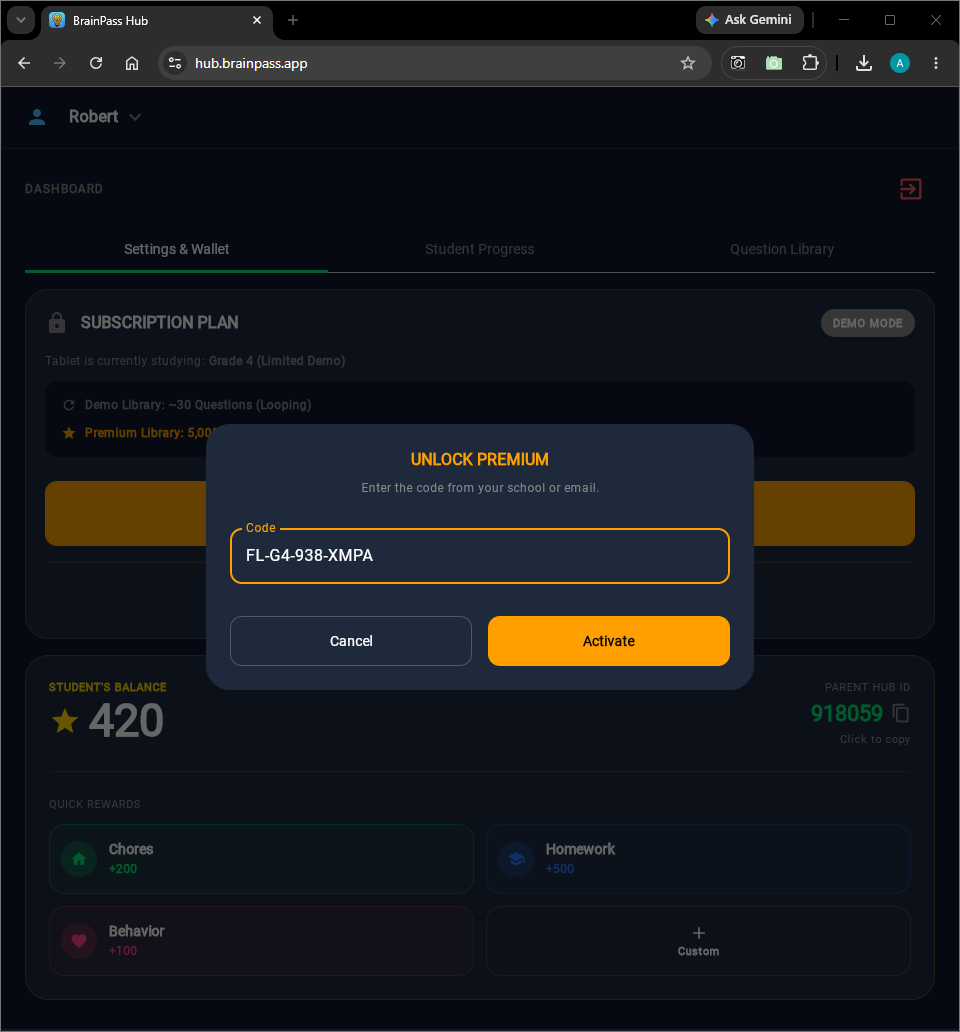
When the Unlock Premium window appears, carefully type your code and hit Activate.
Want TikTok or the Xbox?
Do Math First.
Transform screen-time battles into a rewarding, tamper-proof educational economy for your household.
The Kiosk Lock
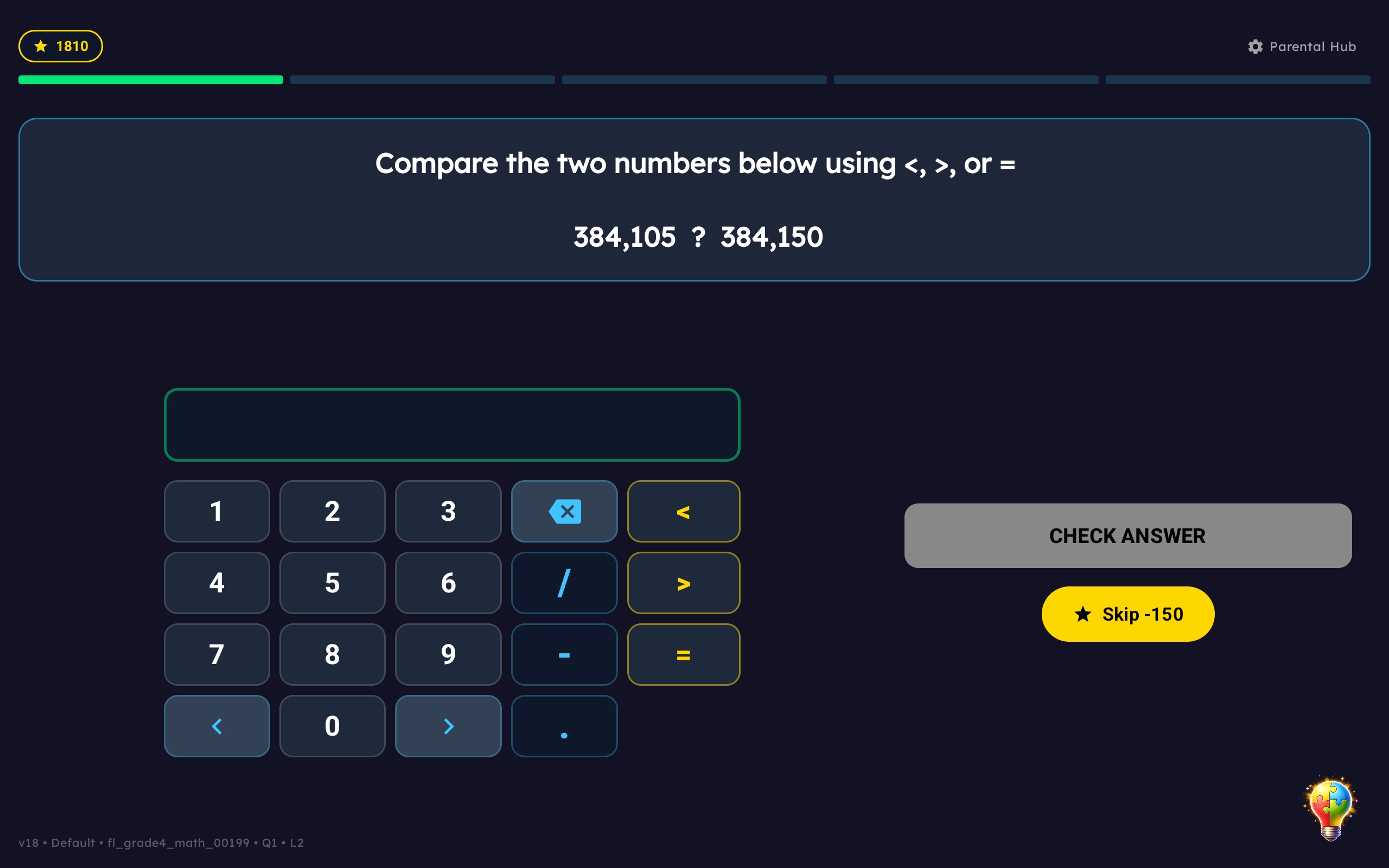
BrainPass installs on your child's Android or Fire Tablet as an un-deletable background service. It restricts access to apps until educational questions are answered.
Gamified Economy
Correct answers earn Star Points. Kids learn the value of hard work by saving points to "buy" unblocked app time.
Total Control via the Web Hub
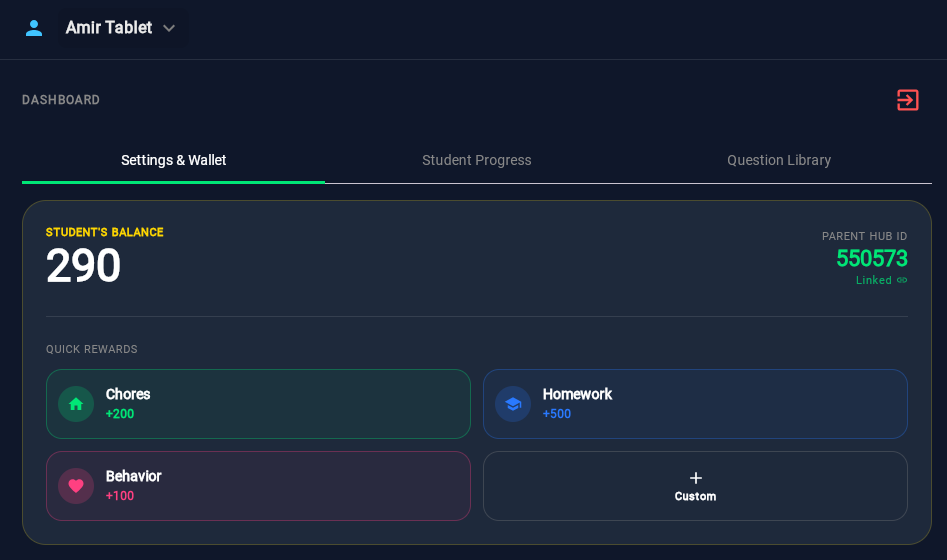
Curriculum Settings
Log into hub.brainpass.app. Set the difficulty to Adaptive, or turn off specific "Focus Subjects" if your child hasn't learned them yet.
Parent Wallet Rewards
Did your child walk the dog or finish physical homework? Instantly beam manual Star Points (+200) directly to their tablet.
Smart Curriculum.
Adaptive Mastery.
Track your child's progress in real-time, pinpoint learning gaps, and keep essential communication apps accessible.
Analytics & Mystery Missions
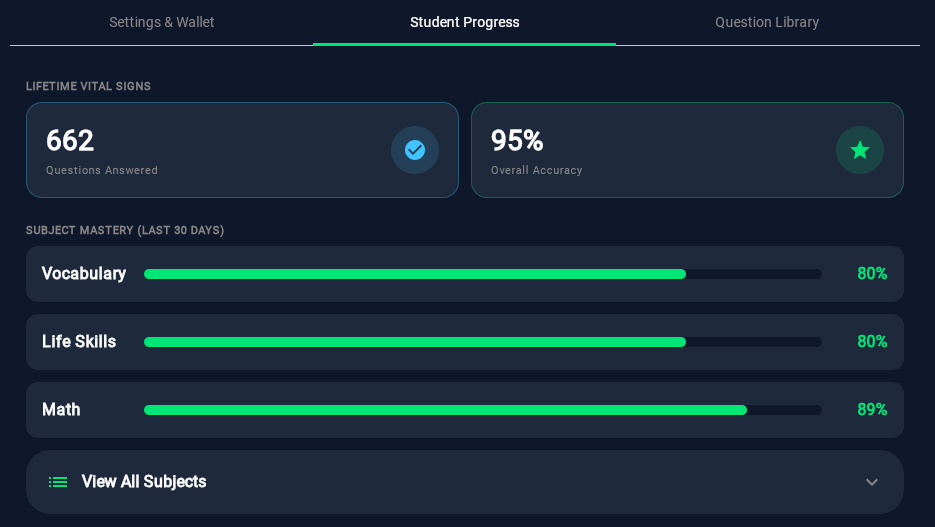
Monitor Lifetime Vital Signs like overall accuracy, and track mastery over the last 30 days.
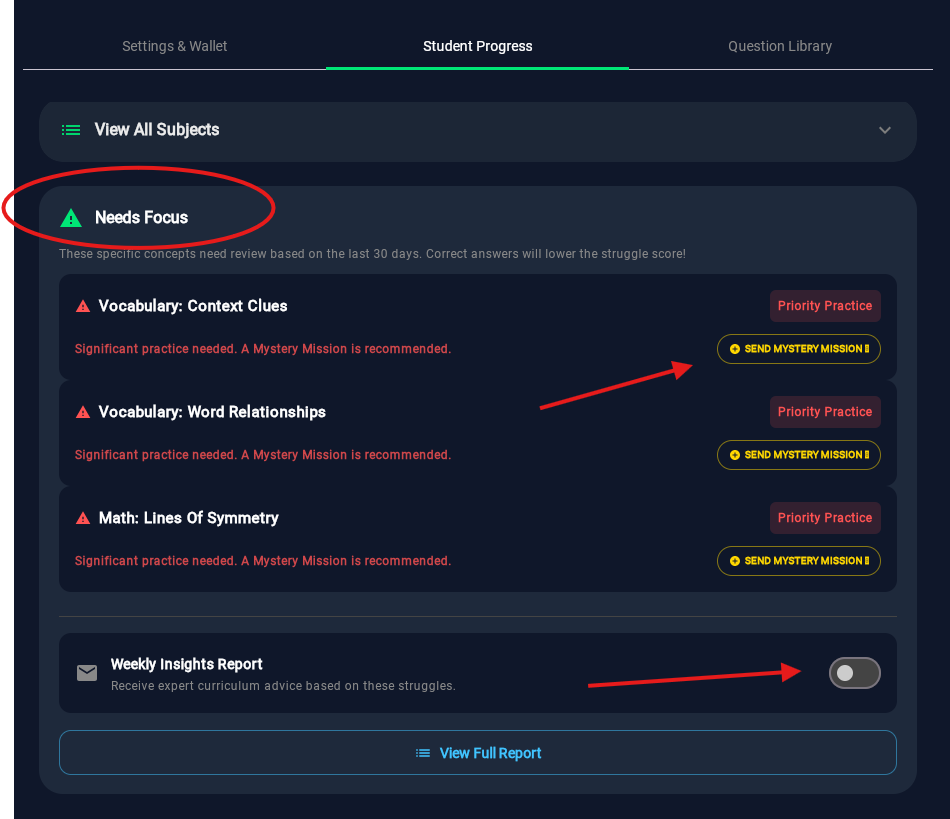
Spot a struggling concept? Click Send Mystery Mission to secretly route targeted practice to their tablet.
App Safety Whitelisting
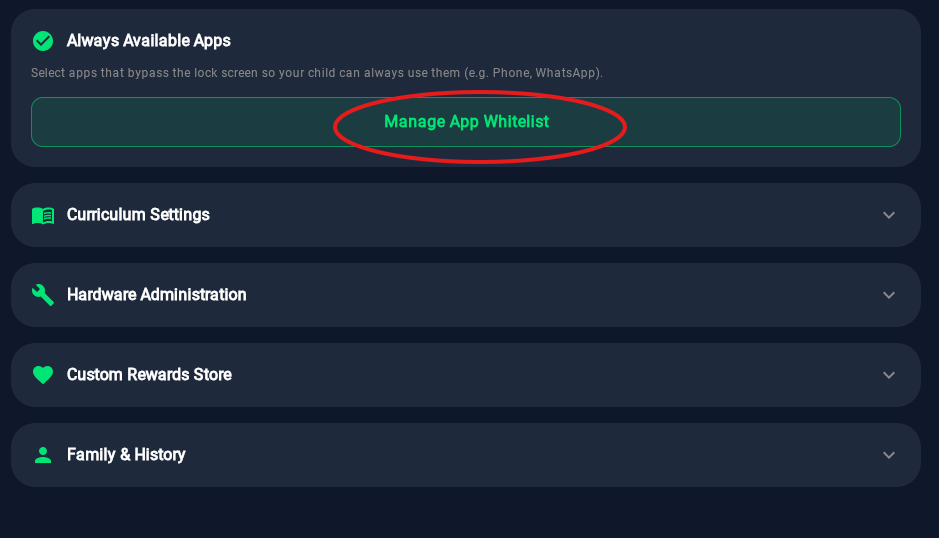
Configure Always Available Apps to completely bypass the lock screen restrictions.
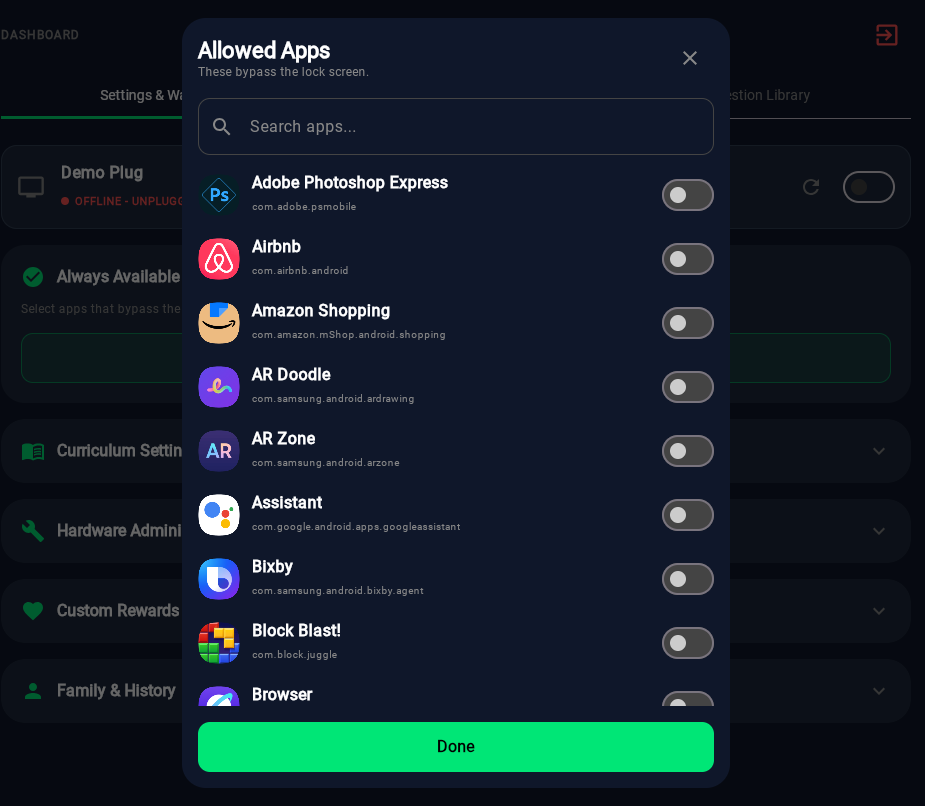
Select safety-critical apps (like Phone or Messages) to ensure your child can always reach you.